AI search visibility: See the topics you own, and the ones you don't
Your buyers ask an AI for a shortlist before they ever reach your site. Share of mentions and share of citations tell you whether you made it. Moose tracks both against your competitor set, topic by topic, and lists the questions where you didn't. Five of the ten engines are free to run, as often as you like.
Moose summarizes what he saw, then points to the next move.
Every time you change the period or a filter, Moose writes the summary against the answers in that exact cut.
Every row opens into the prompts and pages behind it.
Open any brand to see the questions it was named for, and any domain to see the pages AI search systems cited.
Topics are the level where the numbers hold up.
Real people type a million different prompts, each with their own history and personalization, so a single prompt tells you very little. Group enough prompts into a topic and run them over time, and the mention rate by topic gives a clear and accurate view on how visible your brand is for that topic. Drill into it, add prompts, or split the topic when it gets too broad.
Every competitor you add is measured the same way you are.
Add competitors by name and domain and each view splits by brand: share of voice, mention share, citation share, mention rate, the pages they get cited for, and the questions where they were named and you were not.
Track what your buyers ask, on the AI search they use.
There is no prompt limit on any plan, including the free one.
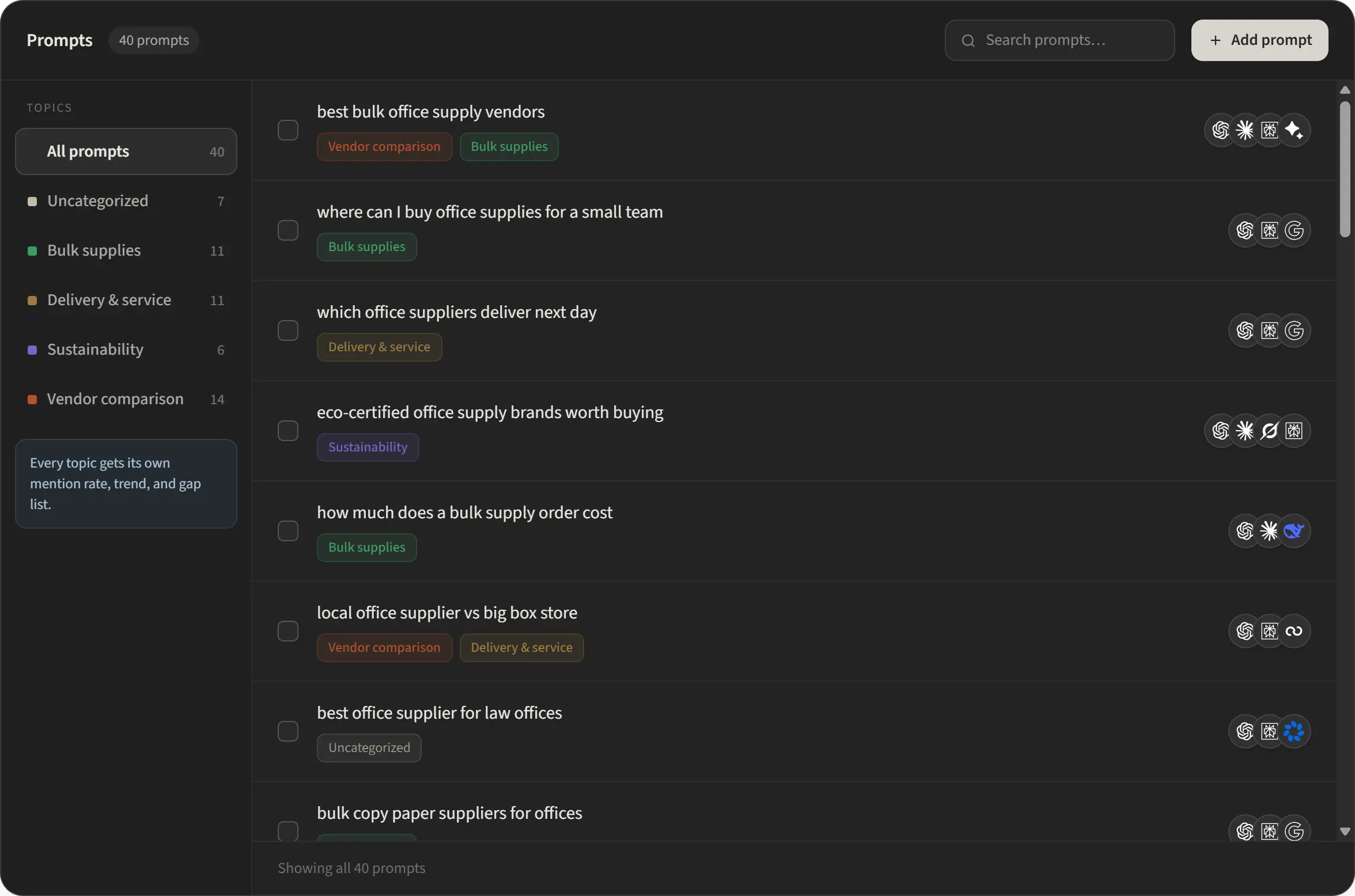
Add a prompt, put it in a topic, and pick which systems it runs on. Most tools make you run everything everywhere. Point your high intent prompts at the systems that matter most for them, and keep the rest on local fetch to conserve your AI credit budget. Have a list already? We can bulk import your prompts on request.
Count every way you show up in AI search, then measure it against the field.
An AI might write "Hi Moose", "HiMoose", or just link our domain. Moose supports brand aliases and multiple domains, consolidating them into one unified view.

Ten answer engines, two ways to reach them.
Ten answer engines on every paid plan. Five of them run as a local fetch: free, no API key, and no limit on how often you re-run them. The other five need your own key or the managed plan.
 Local fetch
 Local fetch
 Local fetch
 Local fetch
 Local fetch
 Key / managed
 Key / managed
 Key / managed
 Key / managed
 Managed only
Local fetch, free, no key Needs a key or the managed plan
Is your current AI search tracking solution too expensive?
Bring your history with you. We can import the historic data you have already paid another vendor to collect, so your trend lines carry on instead of restarting from zero on the day you switch.
Tell us who you use today and what you are paying. We will come back quickly with what the import covers and what the move looks like.
An executive report you can confidently share.
Hit Export report and the current cut becomes a finished PDF: where you stand, whether AI describes you accurately, movement over the period, engine by engine, the pages that get cited, the questions you are missing, and what competitors get cited for. Filters carry through, so a report can be one topic or one engine.
For Agencies, whitelabel is built in. Your logo, your domain in the prepared-by line, the client's name on the cover. Nothing says Hi, Moose unless you want it to.
 Always-on AEO co-worker.
AI search brand monitoring FAQs
What are the six views of a cut?
Overview is the headline read: share of mentions, share of citations, the field, and a written summary. Mentions lists every brand named in the answers. Citations lists every domain and page cited. Topics and Engines gives you two matrices of mention rate. Competition ranks the field and lists the questions you are missing. Prompts shows every question in the cut with its result. All six read the same filtered period.
How many prompts can I track?
As many as you want. There is no prompt limit on any plan, including the free one. What varies by plan is which engines you can reach: local fetch engines re-run at no cost, and the non-local answer engines draw on your own key or a paid managed plan.
Can I hand the report to a client under my own brand?
Yes. The PDF export is whitelabel: your logo, your domain in the prepared-by line, and the client's project name on the cover. Any filter you have applied carries into the export, so you can send a report for one topic, one engine, or the whole period.
How does Hi, Moose check whether AI describes you accurately?
Every answer that names you is scored three ways against the positioning you set in your Brand Truth Profile: the tone it takes, whether it matches how you position the product, and whether the capabilities it lists are real. Answers that drift or misstate a feature are flagged with the quote that triggered the flag, so you can read it and decide whether it is worth a correction.
Which AI answer engines can Hi, Moose monitor?
ChatGPT, Perplexity, Grok, Google AI Mode, Google AI Overviews, Claude, Gemini, DeepSeek, Meta AI, and Bing Copilot. The first five can be checked through local fetches from the Hi, Moose desktop app. Claude, Gemini, DeepSeek, and Meta AI need an API key or a paid managed plan, and Bing Copilot runs on a paid managed plan.
What counts as a visibility gap?
A tracked question where a competitor was named in the answer text and you were not. Gaps split into two kinds: absent everywhere, meaning no engine named you for that question, and partial, meaning some engines named you and others did not. Absent everywhere is the list worth a brief first.
Can I import visibility data from another AI monitoring tool?
Usually, yes. On a paid managed plan we can import your existing visibility and tracking data from other vendors, so your history carries over instead of starting at zero. The import lands in your managed cloud project, so it is not available on local-only setups. Share a sample export (CSV) from your current tool and we will tell you what maps across and ETA.
Run your first scan
in about five minutes.
Download the app, add your brand and a handful of questions, and watch the first results land. Local fetch is free, so the re-runs are too.